Permission-Based UI: Building Secure and Scalable React Applications
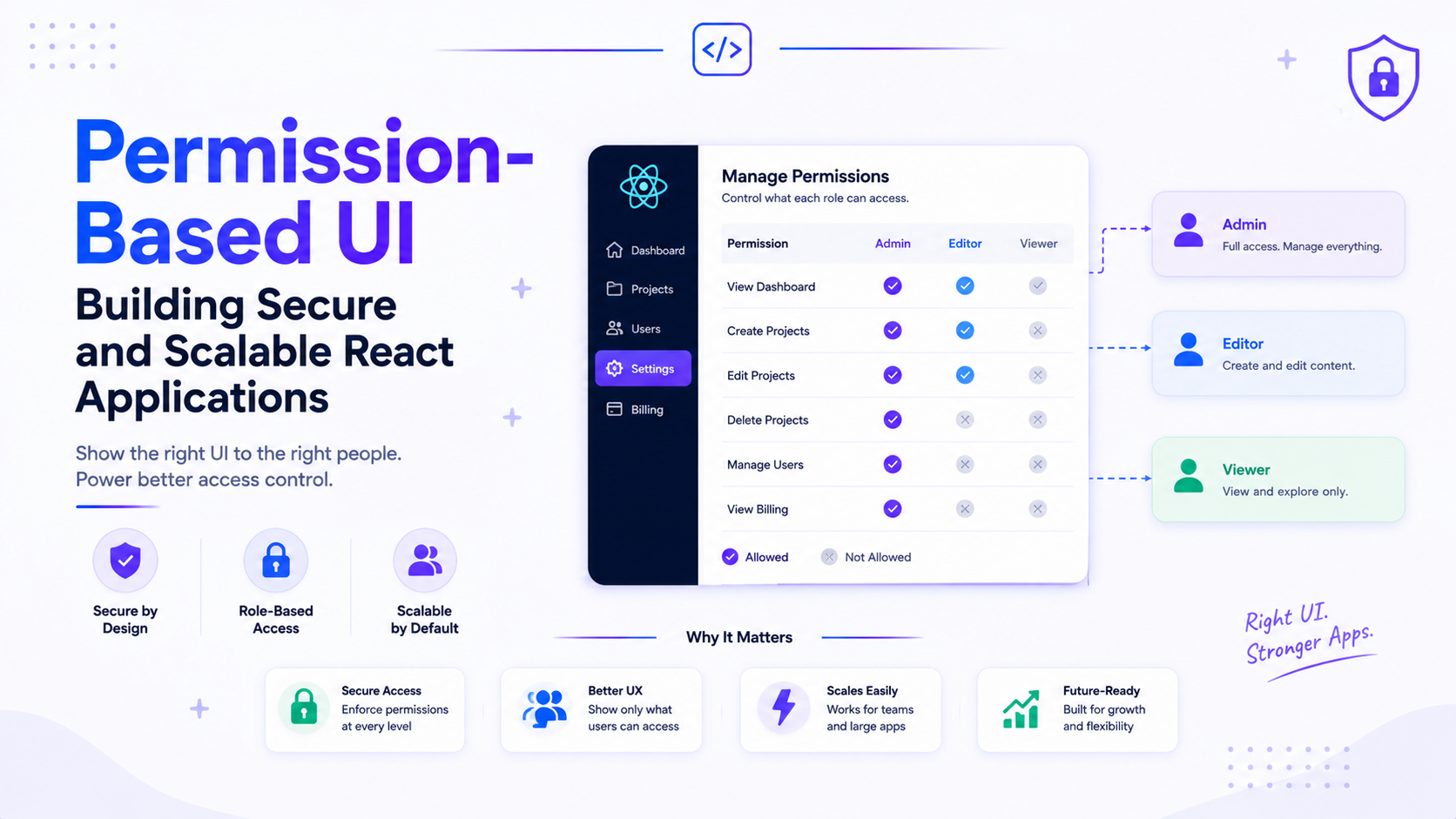
Have you ever noticed that two users can log into the same application but see completely different screens?
One user can edit records.
Another can only view them.
Some users can access reports, while others cannot even see the menu item.
This is not magic. It is Permission Based UI.
Let us understand how enterprise applications manage permissions while keeping the user experience clean, scalable, and secure.
Why Do We Need Permission-Based UI?
Imagine you are building an Employee Management System.
There are three users.
Employee
Manager
Administrator
Should everyone see the same dashboard?
Probably not.
An employee should only view their own profile.
A manager should approve leave requests.
An administrator should manage users, permissions, and system settings.
Showing every feature to every user creates confusion and increases security risks.
Permission-based UI solves this problem by showing users only what they are allowed to access.
Roles Are Only the Beginning
Many beginners start with something like this.
if (user.role === "admin") {
  return <AdminDashboard />;
}
This works for small applications.
It quickly becomes difficult to maintain.
Imagine your application now has:
15 user roles
120 screens
300 buttons
Hundreds of API endpoints
Checking roles everywhere becomes repetitive and error prone.
Instead of asking,
"Is this user an admin?"
Enterprise applications ask,
"Does this user have permission to perform this action?"
That small change makes a huge difference.
Think in Permissions, Not Roles
Instead of assigning screens to roles, assign permissions.
For example,
view_users

create_users

edit_users

delete_users

approve_leave

view_reports
Now a role simply becomes a collection of permissions.
Administrator

↓

All Permissions
Manager

↓

view_users

approve_leave

view_reports
Employee

↓

view_users
This approach is much easier to scale as the application grows.
Permission Based Components
Instead of checking roles inside every component,
create reusable permission checks.
<Permission required="edit_users">
    <EditButton />
</Permission>
If the user has the required permission, the button appears.
Otherwise, React simply renders nothing.
Your components remain clean, readable, and easy to maintain.
Menus Should Also Respect Permissions
Navigation should adapt automatically.
Imagine this sidebar.
Dashboard

Users

Reports

Settings
An employee should not even see Settings.
Instead of hiding pages after navigation, hide inaccessible options before users click them.
This creates a much cleaner experience.
The Biggest Mistake
Many developers believe hiding a button makes an application secure.
It does not.
Consider this.
{canDelete && <DeleteButton />}
Even if the button is hidden, someone can still call the API directly.
Real security always belongs on the server.
The frontend improves the user experience.
The backend enforces the rules.
Never trust the client.
Feature Flags vs Permissions
These two concepts are often confused.
Permissions decide who can use a feature.
Feature flags decide whether a feature is available at all.
For example,
Permission

Can this user delete invoices?
Feature Flag

Has invoice deletion been released yet?
Enterprise applications often use both together.
Designing for Growth
As applications become larger, permissions should come from the backend instead of being hardcoded.
A typical flow looks like this.
User Logs In

↓

Backend Returns Permissions

↓

Store Permissions

↓

React Shows Allowed Features

↓

Backend Validates Every Request
This keeps the frontend flexible while allowing administrators to change permissions without deploying new code.
Final Thoughts
Permission Based UI is much more than hiding buttons.
It is about designing applications that are easier to use, easier to maintain, and safer to operate.
By thinking in permissions instead of roles, building reusable authorization components, adapting navigation automatically, and always validating requests on the server, you can create applications that scale from a small startup to large enterprise systems.
The next time you build a React application, do not ask, "Is this user an admin?"
Instead ask, "What is this user allowed to do?"
That simple shift in thinking leads to cleaner code, better architecture, and a much better user experience.